How I Stay Organized
- haileybunde

- Sep 1, 2017
- 5 min read
I apologize for my absence these last couple weeks, but I am so happy to be back and blogging. I just finished my first week of sophomore year and before that I had move-in, sorority work week, Frog Camp, and sorority recruitment. For two weeks straight I had basically no free time and was running around doing all sorts of fun stuff; this week I’ve been focusing on getting into some kind of routine and acclimating to my classes. I am happy to be back working on blog stuff and can’t wait to share more of my life with y’all!
I have been meaning to write this post for a long time. For anyone that knows me, they know how much I love being organized. I am going to share some of the many tools and tricks I use to stay organized, both in school and my personal life. It’s important to remember that everyone thinks and works differently, so take my tips with a grain of salt. Many people would find my organization far too time-consuming and tedious, but perhaps one or two of my methods will work for you!
School Planner
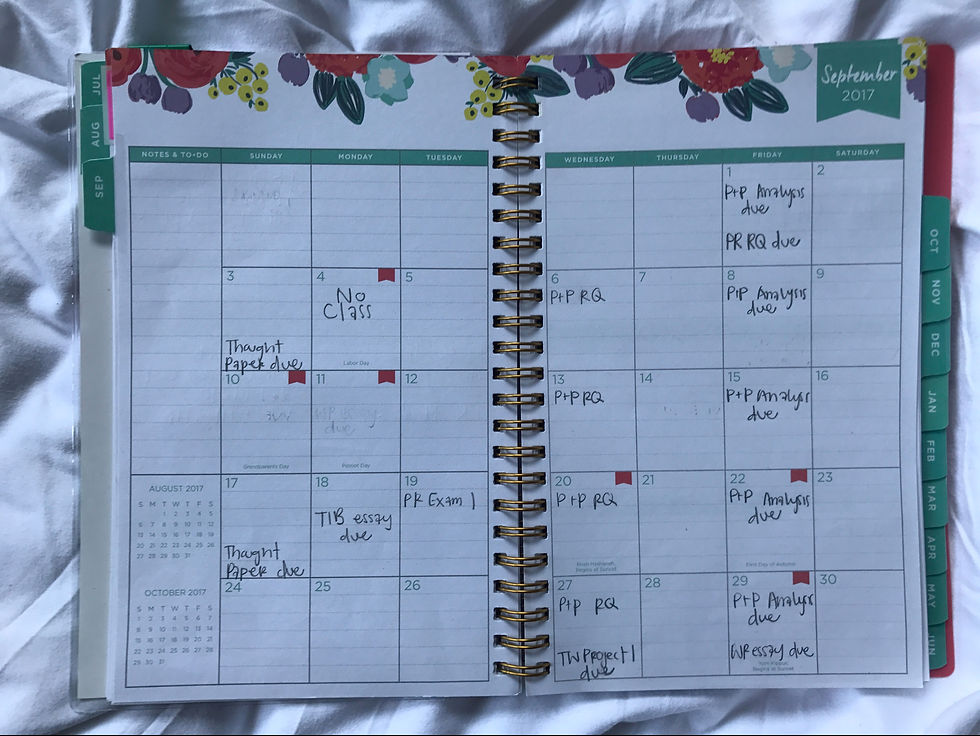
One of the most basic ways I stay organized is by using a planner solely for all of my schoolwork. I picked up this planner from Target, and I just made sure it had enough room and lines to write down all of my assignments. I especially like this planner a lot because each day of the week consists of blank lines and an area to write a To Do list. On the left side, I will write things like tests, projects, or quizzes that I know are due that day, while under the To Do list I write down all of my homework and assignments for that night. Using the syllabi from my classes, I also took the time to write down all of the major dates in my planner for tests, essays and projects. This helps me plan ahead and visualize when some weeks will be crazy in a lot of my classes. I also made sure to use a pencil, because many of these dates will change.

Master Syllabus
A while ago, I was inspired by a Pinterest post to make a master syllabus. This syllabus is a comprehensive list of all of the assignments in all of my classes, arranged by date. I did this both semesters last year, and I find it to be very helpful. However, it is a lot of work, so it may not be for everyone. Basically, I collect all of my syllabi and then plug each of the classes individually into an Excel document. My document consists of four columns: the date the assignment is due, what class it is for, what the assignment exactly is, and the weight it is worth, if applicable. I also color code each class and bold assignments that are worth a large percentage of my grade, for example, tests, quizzes, projects, and exams, but not things like reading assignments. After I have added all of my classes, I use Excel to arrange the assignments in chronological order. It is a tedious project, but I consider it so worth it. The syllabus then becomes my main way of knowing what assignments are due that day. Of course, things change, so I always have to check my classes online, but overall it really helps me know what I need to do each day.


Todoist
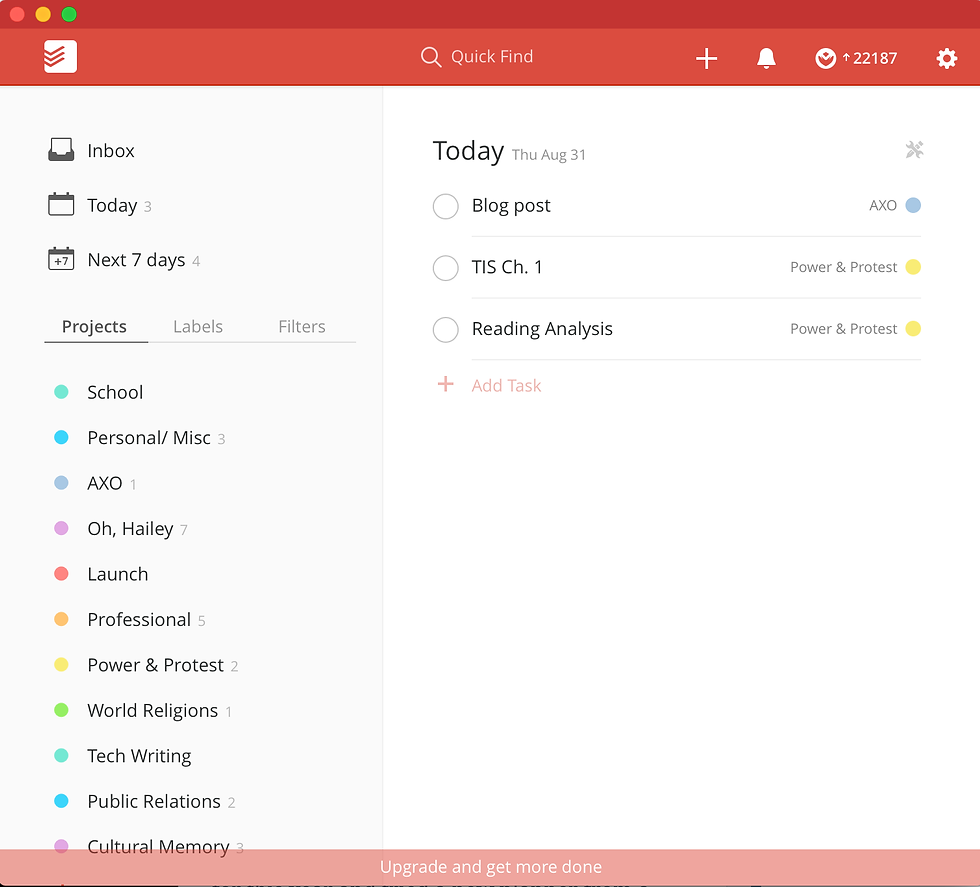
Todoist is an app I discovered my senior year and it really has reshaped my productivity. Todoist allows you to add tasks to different projects and assign them days that you want to do them. When you open the app, it opens to do your Todoist for the day. I really enjoy this app for many reasons, including how easy it is to use. It allows you to plug in as many tasks as you want, as far in advanced as you want. So, for example, if you need to make a phone call in November 11th, you can plug that into the app, and it will show up on your day’s list on November 11th. It also allows you to have different ‘projects’ or categories for the tasks. I find this very beneficial to sort out my life, so I have many different projects: school, personal & miscellaneous, my sorority, the blog, Launch, professional/work, and one for each of my classes. You can also view your tasks in each project, which is helpful at times. I personally have the free version of the app, but there is also a premium version you can purchase. I have found the free app to be more than enough, but the premium version is an option. I use Todoist everyday as my ultimate To Do list that I try to always complete.
Bullet Journal
Last year I had to start a journal for my Creative Writing class, so I decided to turn it into a bullet journal, something I had been wanting to try. Bullet journals are becoming increasingly popular, and there are tons of resources for them on Pinterest if you would like to try your own. Bullet journals are basically whatever you want them to be, which some people love and some people hate. It took me a while to adjust to the freedom and flexibility of a bullet journal, but now I’m hooked. I use mine to create weekly and monthly layouts as well as daily To Do lists that I cross reference with Todoist. I also use my journal to create random lists, doodle quotes, write down shit sheets, and journal about my day. If you’re looking for a creative and flexible space to write down your thoughts, lists, and plans, a bullet journal may be a viable option for you.


Personal Planner
I also use a separate planner for my personal life and commitments. For the past three years, I used Lilly Pulitzer planners, but I took a risk for this year and tried a new planner from a different company. I am using the large “I Am Very Busy” planner from ban.do and I am obsessed! The planner is so cute, comes with fun sayings and stickers, and it has more than enough room for all of my commitments! The planner comes with monthly and weekly layouts, which is the style I prefer.
To keep my planner organized, I use color coded pens to represent different commitments. It’s a little more work to have a color-coded planner, but it helps keep me more organized. My planner kind of serves as my long-term, permanent agenda, where I keep any and all of my commitments. I like having a physical planner because I think it helps keep my mind calm and allows me to better visualize my schedule in a physical, permanent setting.


iPhone/ Macbook calendar
Lastly, I use the Calendar app on my Apple products. This works best when I’m out and about and don’t have easy access to my planner, so I can pull out my phone and plug in an event. About once a week, I go through and cross reference between my personal planner and my Apple calendar, for the next month or so. My digital calendar also helps me plug in events way ahead in the future, and serves as my planner beyond my physical planner that may only span a year in advance.


In conclusion, I think organization is all about finding what works for you. I know a lot of people would find my routine very tedious and excessive, but for me, it helps keep me calm and know that everything is taken care of. I hope you may find at least one of my tools helpful, and hope you can increase your productivity and organization in the future!
What are your favorite ways to stay organized? Do you have any tools, apps, or planners that help you out? Comment below!


Comments